
How to execute JavaScript in Selenium WebDriver
By:Roy.LiuLast updated:2019-08-18
Below code snippet shows you how to execute a JavaScript in Selenium WebDriver.
	WebDriver driver = new ChromeDriver();
	if (driver instanceof JavascriptExecutor) {
		((JavascriptExecutor) driver).executeScript("alert('hello world');");
1. WebDriver Example
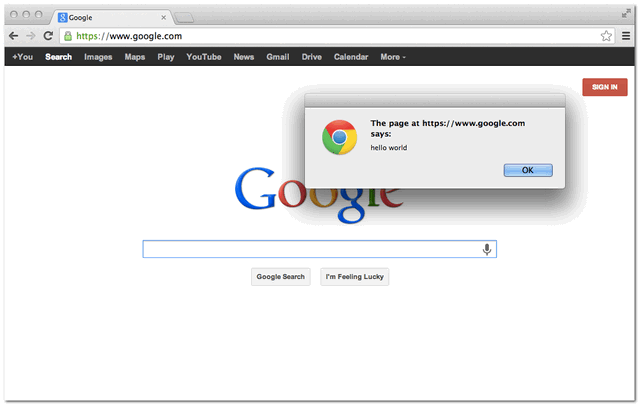
In this example, it uses WebDriver to load “google.com”, and executes a simple alert () later.
JavaScriptExample.java
package com.mkyong.test;
import org.openqa.selenium.JavascriptExecutor;
import org.openqa.selenium.WebDriver;
import org.openqa.selenium.chrome.ChromeDriver;
import org.openqa.selenium.chrome.ChromeOptions;
import org.openqa.selenium.remote.DesiredCapabilities;
public class JavaScriptExample {
  public static void main(String[] args) {
	System.setProperty("webdriver.chrome.driver",
		"/Users/mkyong/Downloads/chromedriver");
	ChromeOptions options = new ChromeOptions();
	options.addArguments("window-size=1024,768");
	DesiredCapabilities capabilities = DesiredCapabilities.chrome();
	capabilities.setCapability(ChromeOptions.CAPABILITY, options);
	WebDriver driver = new ChromeDriver(capabilities);
	driver.get("http://google.com/");
	if (driver instanceof JavascriptExecutor) {
		((JavascriptExecutor) driver)
			.executeScript("alert('hello world');");
Output
References
From:一号门
Previous:How to join two Lists in Java
COMMENTS